
A black and white preview image representing our PC gaming community, Alienware Arena, with the words 'ALIENWARE ARENA' stacked in the center.
Only keys left!

Splitgate 2 Councilor Warden Weapon Skin Key Giveaway

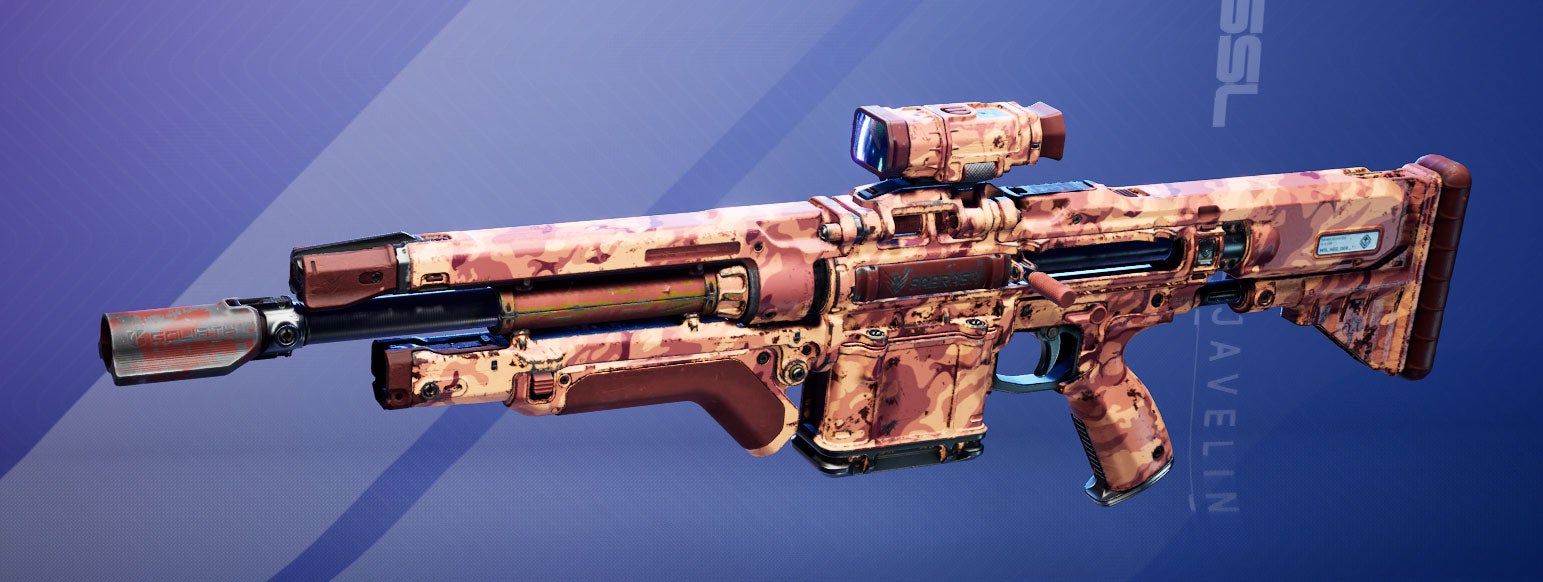
Claim your Councilor Warden weapon skin and play in the beta starting May 22!

Portal into the action as an elite Ace in Splitgate 2, where you can teleport across the map to outsmart your opponents. Team up, customize weapons, and master portaling skills as you compete for glory in epic showdowns.
  • 1. Create or log in to your Alienware Arena account.
  • 2. Click the "GET KEY" button.
  • 3. Open Splitgate 2.
  • 4. Open the Menu by clicking your profile icon at the top right or by pressing "Esc".
  • 5. Click into the Rewards menu (the icon is a treasure chest).
  • 6. Enter your code in the "Redeem Reward" field and press Enter.
  • 7. To see your new weapon skin, go to the Loadouts page in the top menu bar, select the Sabrask faction, then click on the Warden carbine weapon. There, you will see your available skins, including your new "Councilor Warden" skin!